





5 Questions To Ask Before Switching to a New Music Store POS System
Running a music store shouldn’t feel like fighting your own systems all day.
Yet without the right point of sale (POS) system, simple tasks create constant friction.
You find inventory discrepancies only after they’ve cost you money.
You spend hours on work that should take minutes.
You’re manually sending lesson reminders at 9 p.m.
That’s the problem with generic retail POS systems — they weren’t built for instruments, lessons, repairs, or consignment gear. In a business where trust, expertise, and timing matter, those gaps show up fast.
A specialized music store POS system removes that friction.
Here are eight must-have POS features for music stores to run smoothly, sell more, and scale.
1. Serialized Inventory Management

A customer buys a Martin D-28 online. When they arrive, your staff accidentally grabs the floor model with a ding instead of the pristine one in the case.
Now you’re backpedaling, discounting, and disappointing someone who drove 40 minutes.
Serialized inventory tracking prevents this by assigning a unique ID to every guitar, amp, and pedal.
How it works:
- Online orders are tied to a specific serial number.
- Staff scan and confirm the exact item at pickup.
- Customers get precisely what they paid for.
For consignment and trade-ins, you can instantly see acquisition cost, age, and which exact pieces are selling.
Why it matters: Instruments aren’t interchangeable. A 2019 Les Paul plays differently than a 2020, and a modded Stratocaster isn’t worth the same as an original. Batch tracking doesn’t cut it — music stores need serial-level precision.
Related Read: Why You Need Serialized Inventory Management for Your Music Store
2. Actionable Sales Tracking

You realize you’re out of acoustic strings and buried in bass strings months too late. A vendor asks which brands are selling best, and you’re guessing. You don’t know if your new location is profitable until tax season.
Real-time sales analytics fix this, but only if the POS surfaces insights automatically.
What good sales tracking shows you:
- Which products are selling faster
- Price points that move quickly versus ones that stall
- Slow days and shifts that need staffing adjustments
- Which associates consistently upsell accessories
- Automatic prompts for strings, straps, and tuners at checkout
What you gain:
- Real-time performance by product, staff, location, and time period
- Inventory insights before you over order
- Clear coaching and staffing opportunities
- Higher order values without extra training
Trade-off to know: Better insights require upfront setup and clean product data. The first month is an investment, but the payoff compounds fast.
Learn how The Acoustic Shoppe manages their business with Music Shop 360.
3. Customer Management That Drives Sales

You send the same “Sale on keyboards!” email to everyone. Drummers ignore it. Pianists who already own one roll their eyes. Unsubscribes creep up.
A music-specific POS system fixes this by tracking purchase history, instrument preferences, lessons, and customer value — so your outreach matters.
How it works in real life:
Renee bought a Yamaha digital piano and enrolled her daughter in lessons. Instead of another generic sale email, she gets updates about new piano benches, sheet music, and future upgrade options — things she actually cares about.
What you can do:
- Run tiered loyalty programs for new, repeat, and VIP customers.
- Send targeted SMS for closures, events, or clinics.
- Identify your highest-value customers.
- Flag customers who haven’t visited in months for reengagement.
4. E-Commerce Integration

A customer orders a ukulele online. Your website says it’s in stock. Your POS says it’s in stock. But when staff go to grab it, it’s gone — sold in store yesterday and never updated.
Now you’re explaining delays, refunding shipping, and hoping they don’t cancel.
True e-commerce integration creates one source of truth. When an item sells in store, it’s instantly unavailable online, and vice versa.
What good e-commerce integration includes:
- Real-time inventory sync across online and in-store sales
- Buy online, pickup in store (BOPIS) with automatic staff alerts
- Ship-from-store to fulfill orders from the location with stock
- Marketplace integrations (like Reverb) without double entry
- Automatic shipping calculations and order-status emails
What to prioritize: Inventory sync comes first — it’s nonnegotiable. Once that’s solid, add BOPIS, then shipping options, and finally marketplace integrations.

5. Payment Flexibility (Especially for Big-Ticket Items)
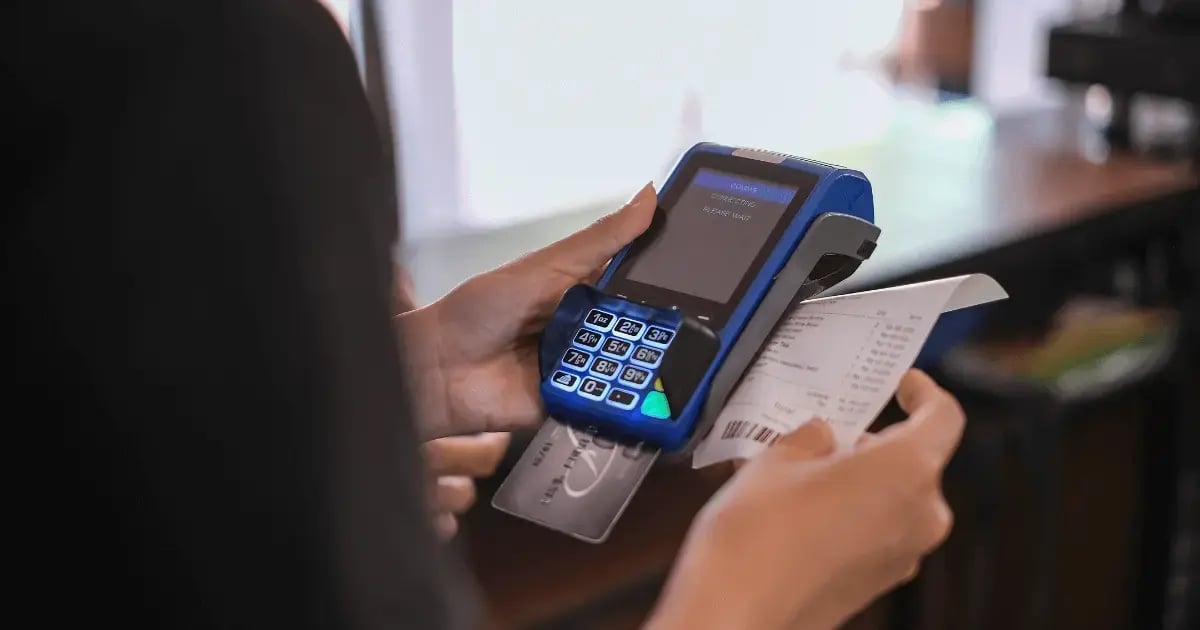
A high schooler and their parent are ready to buy a $2,200 saxophone. At the counter, they hesitate — that’s a lot to put on one card. They leave to “think about it.” You never see them again, and the sax sits for months.
Buy-now, pay-later options alongside standard payments can be the difference between a sale and a walk.
How it plays out:
“We work with Affirm. You can finance this at 0% over six months, about $367 per month.” The family says yes. You close the sale, get paid upfront, and the customer manages payments through Affirm.
What to offer:
- Credit and debit cards
- Mobile wallets (Apple Pay, Google Pay)
- Cash
- Buy-now, pay-later options like Affirm or Afterpay
Reality check: Buy now, pay later comes with fees (typically 3–6%). Build that into your margins, especially on discounted gear. The trade-off is closing high-ticket sales you might otherwise lose.
6. Staff-Friendly Interface

You hire a new part-timer for the Saturday rush. Three shifts later, they’re still struggling with returns, hitting the wrong buttons, and calling you over every 10 minutes.
A staff-friendly POS is built for speed and simplicity: big buttons, logical flow, and as few clicks as possible.
What this looks like:
- New hires learn the basics in about 30 minutes.
- Sales and returns take just a few clicks.
- The system prevents common mistakes automatically.
- Staff can fix simple errors without calling for help.
The benchmark: If your team keeps asking, “How do I…?”, the interface might be the problem. Your most common tasks should take no more than three clicks.
Related Read: Training Staff in Your Music Store: 7 Tips for Success
7. Music Lesson Scheduling (If You Teach)

You’re managing lessons in a shared Google Calendar. Parents email to reschedule, and you’re texting instructors to confirm availability. Eventually, someone double-books a 5 p.m. slot, and two families show up at once.
Integrated lesson scheduling removes the chaos by tying availability, reminders, and payments into one system.
How it works:
- Parents book lessons online or in store using real-time instructor availability.
- Automatic SMS and email reminders reduce no-shows.
- Rescheduling happens within the system and notifies instructors automatically.
- Payments run automatically, either per lesson or monthly.
What you see:
- Revenue and utilization by instructor
- Most and least popular time slots
- Clear demand signals for when to hire another teacher
Decision point: If lessons are a small slice of revenue, basic scheduling may be enough. If they’re a major driver, dedicated lesson management quickly pays for itself in time saved and in fewer no-shows.
8. Repair Workflow Management

A customer drops off a trumpet for repair. You jot it on a sticky note. The note disappears. Two weeks later, the customer calls — and no one knows where the trumpet is, who’s working on it, or when it was supposed to be ready. It’s actually finished, sitting in the back.
Repair order tracking manages the entire workflow from dropoff to pickup.
How it works:
- Staff create a repair order at intake with customer and instrument details.
- A claim ticket prints for the customer, and a work order prints for the tech.
- Techs see all jobs prioritized by due date.
- Status updates move from “waiting on parts” to “in progress” to “completed.”
- Customers are automatically notified when repairs are ready.
What you see at a glance:
- Total repairs in the queue
- Which jobs are waiting on parts
- Which jobs are ready for pickup
The result: No lost instruments and no more “When will it be done?” calls. If you handle more than 10 repairs a month, this feature quickly proves its value by keeping work organized and on schedule.
Related Read: Start a Profitable Instrument Rental Program with Ben Borkowski
Music Shop 360 Has the POS Features Music Stores Need
Music Shop 360 was designed around real POS features for music stores, including built-in tools for lessons, repairs, instruments, and consignment gear. With our all-in-one system, you get:
- Serialized inventory tracking: Ensure every guitar, amp, and pedal is accounted for.
- Automated sales insights: Know what’s selling before it sells out.
- Customer management: Send targeted offers based on what your shoppers play and buy.
- Integrated e-commerce and BOPIS: Keep online and in-store inventory in sync.
- Flexible payment options: Include buy-now, pay-later options right at checkout.
- An intuitive, staff-friendly interface: Allow new hires to hit the ground running.
- Lesson scheduling and automated reminders: Boost coordination between parents, students, and instructors.
- Repair workflow tracking: Reduce lost orders and frustrated customers.
Ready to see a POS system that fits your store perfectly? Customize your dream features and get a quote with our Build and Price tool.

Taylor has eight years of experience working closely with music stores, including two as the Music Shop 360 General Manager. His deep industry knowledge helps him develop point of sale solutions that address the unique challenges music stores face. Passionate about music and dedicated to supporting small businesses, Taylor’s mission is to empower music store owners with technology that adapts to evolving consumer shopping habits. "I’m all about giving music retailers the tools to stand toe-to-toe with the big guys. Watching small businesses succeed in this fast-paced world is what makes my job so fulfilling."