Limited time offer: We'll pay for your setup. Go live with Music Shop 360 and  your $750 setup is on us.

Schedule a Demo
Pricing

Run your shop from one connected system with music store POS integrations

Music Shop 360 integrates with the tools you already use, so you have everything you need to run your music store from one place. 
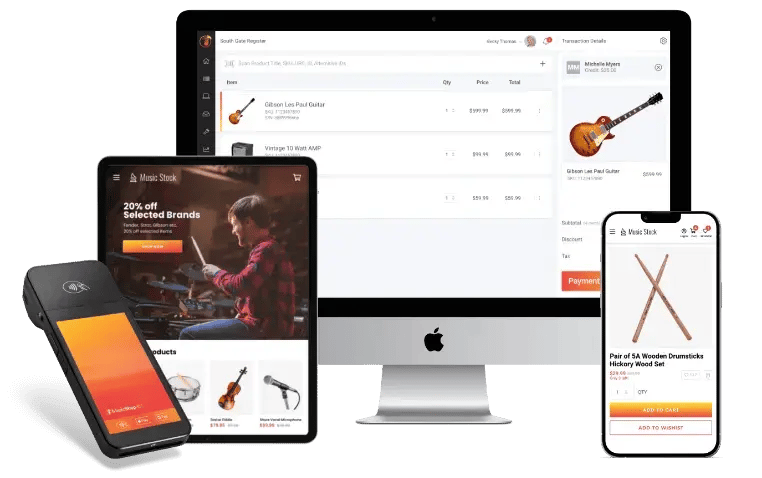
MusicShop360-POS-devices
Testimonial

Music store POS integrations for every part of your business

Music Shop 360 makes it easy to use the tools you love without disrupting your workflow.

Reverb

Sell your instruments to millions of musicians and gear lovers on Reverb. With inventory that stays in sync, you don’t have to worry about selling the same piece of gear twice. 

My Music Staff

Take lesson payments directly from your POS, manage your online or in-person lesson schedule, and connect My Music Staff widgets to your website. 

QuickBooks

Keep your music store finances organized with a seamless QuickBooks integration — track income, manage expenses, and stay tax-ready year-round.  

Clientbook

Improve sales conversion rates and increase average dollar sales with Music Shop 360’s Clientbook integration. 

Affirm

Let your customers take home the instrument they love and pay over time with flexible financing options built into your Music Shop 360 POS.  

Avalara

Calculate and manage sales tax across every transaction automatically, so you stay compliant without the manual work.  

Afterpay

Give your customers the flexibility to split their purchase into four interest-free installments, directly from your Music Shop 360 POS.  

Klarna

Offer flexible buy now, pay later (BNPL) options at checkout, so more customers can easily say yes to the gear they want.  

FAQs: Music store POS integrations

What music store POS integrations does Music Shop 360 support?

Music Shop 360 integrates directly with Reverb, My Music Staff, QuickBooks, Clientbook, Affirm, Avalara, Afterpay, and Klarna. 

Can I run multiple music POS software integrations at the same time?

Yes. Music Shop 360 is built to run multiple integrations simultaneously, keeping all your tools connected and your data synced. 

How do I set up a Music Shop 360 music store POS integration?

Most integrations can be enabled in just a few clicks from your Music Shop 360 dashboard. If you need extra help, our support team is happy to help you every step of the way. 

Will adding new integrations affect my current POS setup?

No. Music Shop 360 lets you add new tools without disrupting your day-to-day operations. You can keep selling while everything connects in the background. 

Music Shop 360 makes running
your music store simple

Book a software demo to see how easy it is to manage all your favorite tools from one system.